Type: Article -> Category: Actionable AI
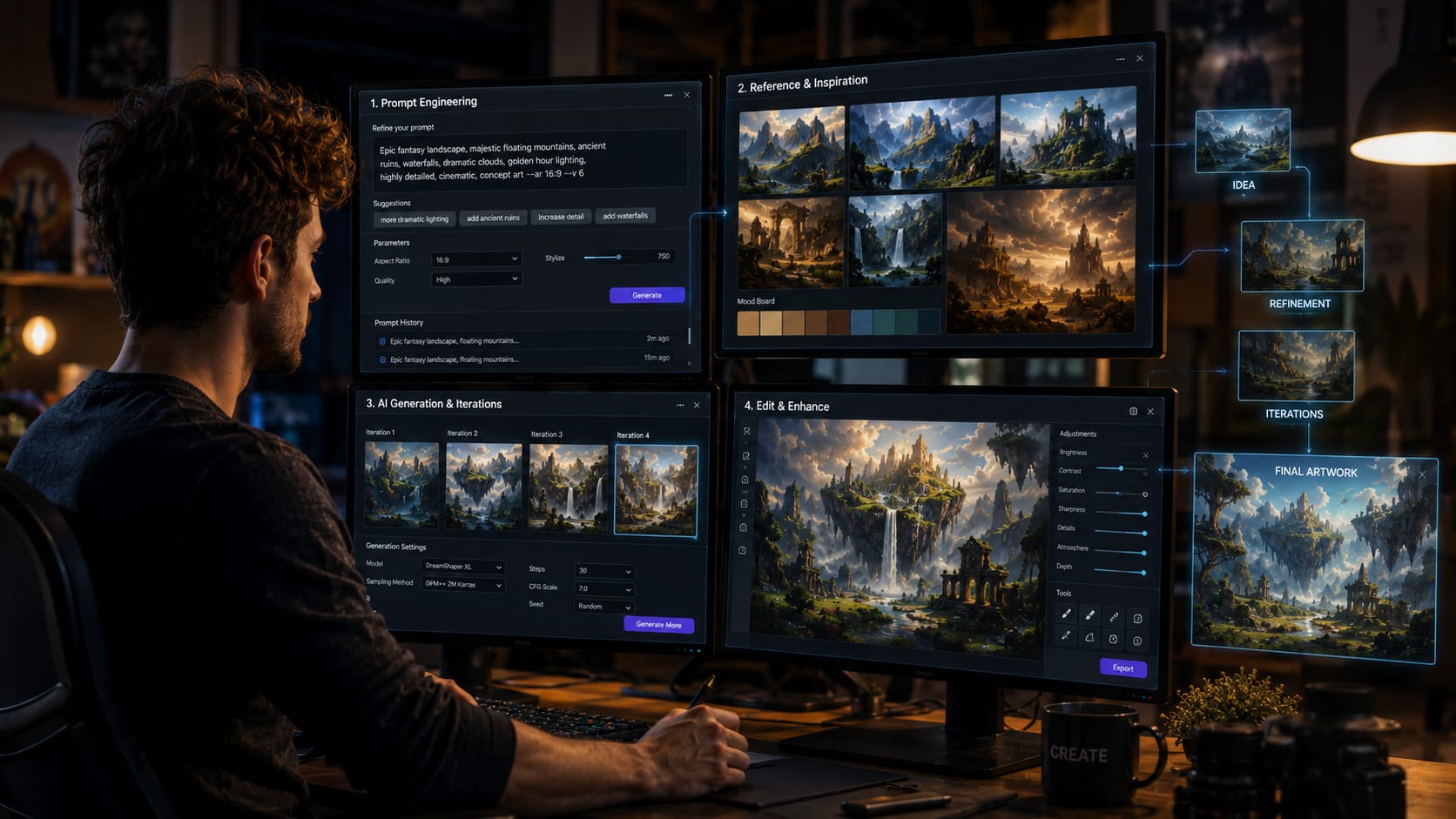
Mastering AI Image Generation in 2026: Strategies for Exceptional Results
2026 Update: AI Image Generation Is No Longer Just About Prompts
Publish Date: Last Updated: 18th June 2026
Author: nick smith- With the help of CHATGPT
When this guide was first published, creating great AI-generated images often depended heavily on prompt engineering. The better your prompt, the better your result.
While prompting remains important, the biggest shift in 2026 is that image generation has become far more conversational and iterative.
Modern AI systems can now generate, edit, refine, and transform images through natural dialogue. Instead of repeatedly rewriting prompts from scratch, users can simply ask for changes such as:
- Make the lighting warmer
- Change the background to a city street
- Turn this into a watercolour painting
- Remove the people in the background
- Make the character look older
- Convert this image into a video scene
This conversational workflow has dramatically reduced the learning curve for beginners while improving the quality of final results.
Consistency Is the New Superpower
One of the biggest weaknesses of early AI image generation was consistency.
Characters often changed appearance between images. Brand visuals drifted. Products looked different from one generation to the next.
Modern image-generation platforms now place a strong emphasis on maintaining consistency across multiple images. Users can provide reference images, style examples, character designs, and brand assets that the AI can follow throughout an entire project.
For businesses, this is a major breakthrough because marketing materials, product imagery, and brand identity can now remain visually consistent across large campaigns.
Reference Images Are Becoming More Important Than Prompts
Many creators still focus entirely on text prompts.
However, some of the best results in 2026 come from combining prompts with reference images.
You can now provide:
- Existing photographs
- Product images
- Brand assets
- Character designs
- Sketches
- Previous AI-generated images
and ask the AI to build upon them.
In many professional workflows, reference images have become just as important as the written prompt itself.
Text Generation Has Improved Dramatically
Historically, AI image generators struggled with text.
Misspelled signs, unreadable labels, and distorted typography were common problems.
Modern models have significantly improved their ability to generate readable text, making them much more useful for:
- Marketing graphics
- Posters
- Social media content
- Product advertisements
- Infographics
- Website visuals
This has helped move AI image generation from concept creation into practical business use.
Editing Is Often More Important Than Generation
The most successful creators are no longer trying to generate the perfect image in a single attempt.
Instead, they use a workflow of:
- Generate
- Review
- Edit
- Refine
- Improve
This iterative process consistently produces better results than relying on a single prompt.
The future of AI image generation is not about getting the perfect image first time.
It is about having powerful tools that allow you to rapidly evolve an image until it matches your vision.
AI Images Are Becoming Part of Larger Creative Workflows
Another major development is the integration of image generation with other AI tools.
Many creators now move seamlessly between:
- Text generation
- Image generation
- Image editing
- Animation
- Video generation
- Voice generation
A single concept can now evolve from a written idea into an image, then into an animated sequence, and finally into a complete video production.
The boundaries between creative tools are beginning to disappear.
Looking Ahead
The next phase of AI image generation is likely to focus on even greater consistency, better editing controls, stronger brand management, and deeper integration with video generation.
The creators achieving the best results today are not necessarily those using the most advanced models.
They are the ones who understand how to combine prompting, reference images, editing, and human creativity into a repeatable workflow.
AI remains an incredibly powerful tool, but the best results still come from people who know what they want to create.
AI Image Editing on YouTube

Best AI Video Generator for 4K Videos in 2026 (Full Test)
YouTube Channel: Youri van Hofwegen
New BEST local AI image generator is here!
YouTube Channel: AI Search
Best AI Tools for Graphic Design in 2026 (Full Ranking)
YouTube Channel: Youri van Hofwegen
The ONLY 3 Tools You Need to Create ANY AI Video
YouTube Channel: Tao Prompts

Generate Unlimited AI Videos & Images With This Workflow
YouTube Channel: Malva AI
Finally, AI Images That Actually Work for Web Design
YouTube Channel: WPTuts

GPT Image 1.5 TUTORIAL: Beginner to Pro in 16 Minutes!
YouTube Channel: Julian Goldie SEO
How to Start Making AI Videos in 2026
YouTube Channel: Dan Kieft
Mastering AI Image Generation in 2026: Strategies for Exceptional Results (Original Article)

Artificial intelligence image generation isn’t just a creative novelty,it’s a core tool for visual storytelling, branding, product design, advertising, and rapid prototyping. With the latest breakthroughs in models, prompt engineering, and workflow integration, anyone can generate high-fidelity visuals with precision and style.
In this updated 2026 guide, we dive deep into the most effective strategies to get outstanding results from AI image generation.

1. Choose the Right Model for Your Goal
AI image generation is no longer one-size-fits-all. In 2026, models vary widely in capability, style, and control:
- GPT-image-1.5 – OpenAI’s latest generation designed for production-quality visuals, precise prompt control, and predictable outputs, ideal for commercial or professional work.
- Nano Banana Pro (Gemini) – Google’s image model offering enhanced text rendering, creative controls, and detailed editing for iterations.
- Adobe Firefly Image Model 4 / Ultra – Excellent for high-resolution commercial images, now integrated tightly with Photoshop and Creative Cloud tools.
- Open-source and academic models – Projects like Flux (Black Forest Labs) and open-source diffusion variants provide flexibility and community extensibility.
Takeaway: Evaluate tools not just for image quality but for control, editing flexibility, legal/commercial safety, and integration with your existing tools.
2. Prompt Engineering Isn’t Optional,It’s Fundamental
The difference between vague and professional-grade outputs often comes down to how you craft your prompt. As 2026 prompt research shows, effective prompting is akin to learning a new language with its own structure and vocabulary.
Best Practices:
- Be specific and structured: Include subject, style, lighting, mood, composition, lens type, and environment.
- Reference artistic styles or formats: “Cinematic lighting” or “studio portrait” guide the model toward consistent results.
- Use negatives (“don’t include…”): Helps prevent unwanted elements in the output.
- Iterate with few-shot examples: Provide 2–5 prompt samples to show exactly what you want.
Prompt engineering now accounts for 80–90% of output quality,better prompts beat bigger models if miscrafted.
3. Use Iterative Refinement Instead of One-Shot Generation
Modern workflows treat AI image generation as a dialogue:
- Generate a base image
- Assess and note strengths/weaknesses
- Refine prompts or add constraints
- Re-generate or edit the image
Iterative refinement dramatically increases quality and relevance. Generate multiple variations and select the best results before editing. This approach leads to professional-grade visuals without manual re-drawing.
4. Combine AI With Human Creativity
AI augments,not replaces,design expertise. Professionals who integrate AI into design workflows consistently outperform those who rely on raw generation alone.
Examples:
- Use AI for concept art, storyboarding, and rapid mockups.
- Apply human-led editing in tools like Photoshop, Figma, or Procreate to polish details and brand align visuals.
This hybrid workflow leads to original, custom visual assets that feel crafted, not generic.
5. Post-Process for Precision and Branding
AI tools are incredibly powerful, but raw outputs often benefit from post-processing:
- Enhance composition and colour balance
- Remove artifacts or refine edges
- Add branded elements like logos or typography
Generative models are improving, but combining AI outputs with traditional editing gives a competitive edge.
6. Understand and Use Model Strengths & Limitations
Even in 2026, models have known quirks,they excel at textures and landscapes but can be challenged by fine details in complex structural objects or accurate human hands without careful prompting.
Being aware of these helps you:
- Know when to guide the model
- When to use human editing
- And when to choose a different architecture or tool
7. Stay Current,The Field Is Evolving Fast
AI image generation is one of the fastest moving areas in technology. New models, training methods, and tools are released every quarter.
This year alone:
- The industry saw strategic partnerships between giants and niche innovators, reshaping access to high-quality generation.
- Startups like Black Forest Labs have raised hundreds of millions, forcing competitive improvements.
- Tools like ChatGPT Images now deliver 4x faster generation and enhanced detail editing.
Smart creators subscribe to model updates, community tutorials, and experiment regularly.
8. Ethics, Copyright and Responsible Use
With realism increasing sharply, AI images approach indistinguishability from authentic photography, raising ethical and legal questions.
- Always respect copyright and licensing
- Avoid generating images of real individuals without consent
- Use commercially licensed datasets or models with safe licensing
Responsible use protects creators and brands alike.
Conclusion: Professional Results Require Skill + Strategy
AI image generation in 2026 has moved into a mature, professional-ready phase, where results hinge less on raw model power and more on:
✔ Choosing the right tool for the job
✔ Writing effective, detailed prompts
✔ Iterating and refining outputs
✔ Combining AI with human judgement
✔ Staying abreast of rapid advancements
When used strategically, AI can produce visuals that outperform traditional stock assets and significantly boost creative workflows,from marketing campaigns to fine art,with speed, precision, and economic value.
Actionable AI Articles
Training Grok to Write Like You: A Detailed Guide
Grok, created by xAI, is a powerful AI designed to provide helpful and truthful answers, with a unique voice inspired by figures...
How to Create AI Videos in Minutes with Video GPT and VEED: A Step-by-Step Guide for Content Creators
If you want to create a video that can be made from stock images, video and is straight forward then this combination of ChatGPT...
How to Run a Local AI Image Generator with Stability Matrix and Stable Diffusion
AI image generation has transformed from a niche research field to a widely accessible technology, empowering creators to produce...
How to Build a Multimodal AI Model: Step-by-Step Tutorial for Beginners
In today’s AI world, it’s no longer enough for machines to just read or see, they need to do both (and more). That’s where...
How to Create an AI Sprite Sheet: A Step-by-Step Guide for Game Developers
If you’re searching for a foolproof, one-click solution to create sprite sheets with AI, brace yourself for a bit of...
How to Train Your Own Local AI on Your Data
In the age of artificial intelligence, having a personalized AI trained on your own data is becoming increasingly accessible and...
Is it possible to run your own AI using VirtualBox and Ubuntu?
I have been looking into implementing AI into my website and whilst there are many out the box options, almost all of them require...
A Newbie’s Guide to AI Animation: Myths, Facts, and Hilarious Realities
Let’s face it: AI animation is the new kid on the block, and everyone wants a piece of the action. But before you dive in thinking...

AI Questions and Answers section for Maximizing AI Image Generation: Strategies for the Best Results
Welcome to a new feature where you can interact with our AI called Jeannie. You can ask her anything relating to this article. If this feature is available, you should see a small genie lamp above this text. Click on the lamp to start a chat or view the following questions that Jeannie has answered relating to Maximizing AI Image Generation: Strategies for the Best Results.
Be the first to ask our Jeannie AI a question about this article
Look for the gold latern at the bottom right of your screen and click on it to enable Jeannie AI Chat.
Type: Article -> Category: Actionable AI